Global buyers need more than a list of camera brands. They need a clear way to judge quality, consistency, and long-term support. A dependable Wifi Camera should deliver a stable connection, useful image detail, and reliable performance in everyday conditions. But specifications alone rarely tell the whole story. A high resolution figure may look impressive, while night footage or mobile alerts disappoint in practice.
This guide examines manufacturers through practical considerations: product range, manufacturing experience, quality controls, technical support, and flexibility for different markets. Buyers should also ask about app usability, firmware updates, warranty terms, and how clearly a supplier explains product limits. Small details matter. A camera mounted under an eave faces different challenges from one placed beside a busy indoor entrance. Sample testing can reveal gaps that a catalog cannot. It is not perfect, either.
Comparisons can overlook regional network conditions or differences between installation environments. That is worth remembering. No single manufacturer suits every project, budget, or customer expectation. By focusing on verifiable capabilities and asking specific questions, global buyers can narrow their options with more confidence. The aim is not to declare one universal winner, but to identify manufacturers whose products and support match the work ahead.
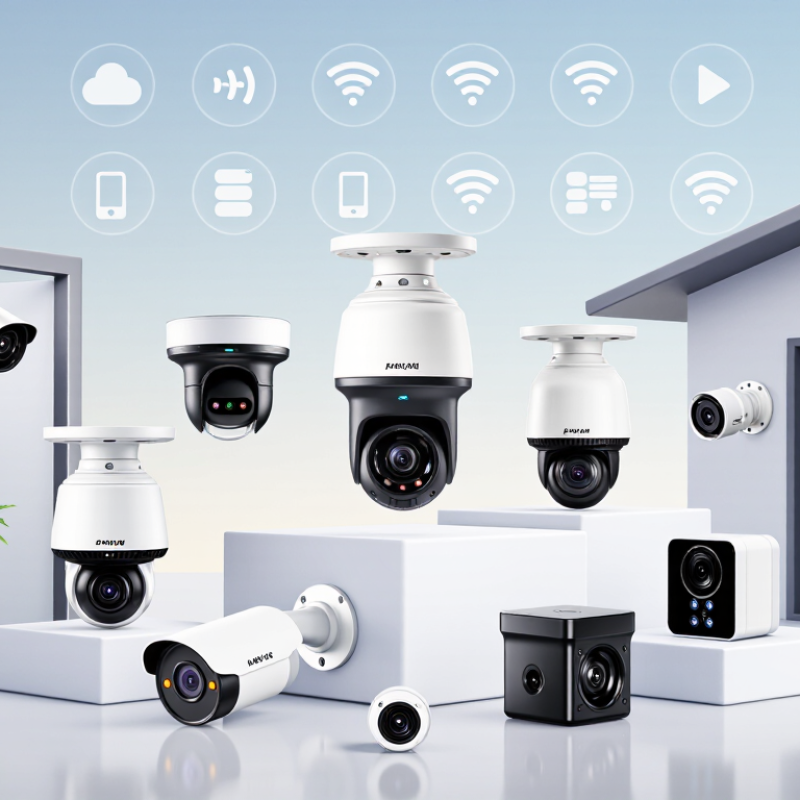
A Wi-Fi camera’s connection depends on more than the router’s advertised speed. The 2.4 GHz band usually reaches farther and passes through walls more effectively, but it often shares airtime with neighboring networks and household devices. The 5 GHz band can offer more capacity and less congestion, though its signal typically weakens faster across rooms. Small difference. A camera beside a router may work well on either band; one mounted behind a brick wall may not.
The Wi-Fi Alliance’s 2024 Global Economic Value of Wi-Fi report estimates Wi-Fi’s worldwide economic contribution at $4.9 trillion in 2025. That figure describes the broader Wi-Fi ecosystem, not camera performance, so it should not be treated as a speed guarantee. For buyers, check whether a camera supports 2.4 GHz, 5 GHz, or both, then test its live video at the intended mounting point. A practical test matters. In real homes, a microwave, thick walls, and crowded apartments can change results. I would not choose a camera from band support alone; manufacturers’ range claims rarely capture every installation. Test at night too, when infrared video and continuous uploads can expose weak links.
| Evaluation Dimension | 2.4 GHz Wi-Fi | 5 GHz Wi-Fi | What Global Buyers Should Check |
|---|---|---|---|
| Typical coverage | Generally offers better reach through walls and other obstacles than 5 GHz, although the actual range depends on the router, building materials, antenna design, and local interference. | Generally offers shorter indoor reach and is more affected by walls and floors than 2.4 GHz. | Test the camera at its intended mounting point. A router’s advertised coverage does not guarantee a stable connection at a specific location. |
| Interference and congestion | Often has more competing devices and networks. Common sources of activity include Bluetooth devices and other 2.4 GHz Wi-Fi equipment. | Often has more available channel capacity, but performance still depends on nearby networks, channel use, and local conditions. | Consider the wireless environment at the installation site. A less crowded band may improve consistency, but it is not guaranteed to do so. |
| Data capacity | Can support camera video, but available throughput is shared with other devices and affected by signal quality and network congestion. | Can provide higher Wi-Fi link rates with compatible equipment and suitable signal conditions; real-world throughput is lower than the advertised PHY link rate. | Compare the camera’s stated video bitrate and recommended network requirements with the connection available where it will be installed. |
| Standards and channels | Commonly used by Wi-Fi generations that include 802.11b, 802.11g, and 802.11n. Usable channels and permitted power levels vary by country. | Used by Wi-Fi generations that include 802.11a, 802.11n, 802.11ac, and 802.11ax. Available channels and restrictions vary by country. | Confirm supported Wi-Fi standards and regional compliance for the destination market. Do not assume every channel is permitted in every country. |
| Device compatibility | Supported by many Wi-Fi cameras and older routers, but compatibility is model-specific. | Available only when both the camera and router support the band and compatible Wi-Fi standards. | Check the camera’s specifications before purchase. Some models support 2.4 GHz only; others support both bands. |
| Setup considerations | May be easier to connect at greater distances, but network congestion can affect reliability. | May require the camera to be closer to the router or access point for a stable connection. | During setup, verify the required band, network name (SSID), password, and security settings. Follow the camera’s instructions for networks with combined-band SSIDs. |
| Best-fit use cases | Often a practical option for cameras farther from the router, including many outdoor or multi-room installations, provided signal quality is sufficient. | Often suitable for cameras near the router where stronger throughput or reduced 2.4 GHz congestion is useful. | Choose based on measured signal quality and the installation layout rather than the band name alone. |
| Reliability checks | A strong signal can still be affected by congestion, channel overlap, and interference. | A high link rate can still become unstable if the camera is too far from the access point or separated by obstacles. | Test live view, recording, and notifications at the intended location. For a distant camera, consider improving access-point placement or coverage. |
| Security and privacy | Wireless-band choice does not by itself determine security. Protection depends on the router configuration, supported encryption, firmware, account security, and the camera’s network features. | Review supported Wi-Fi security modes, firmware-update practices, access controls, and privacy settings. Use a strong, unique network password. | |
Buyer note: Specifications and regional wireless rules vary by product and market. Confirm band support, setup requirements, and local compliance with the product documentation before ordering.
No. 4K can show finer detail across a driveway, but it creates larger video files. A steady 1080p feed may be more useful.
Check frame rate, lens angle, sensor quality, and low-light performance. Ask for night footage with moving subjects, not just bright daytime clips.
No. That figure is a theoretical network peak, not a camera’s expected speed. Walls, distance, interference, and router capacity reduce real throughput.
Test the planned camera location using the actual network. A smooth 1080p stream beats a 4K feed that keeps stalling.
Under IEC 60529, the first digit means dust-tight protection under specified testing. The second indicates protection against defined water jets. Small distinction.
No. It covers specified water jets, not submersion. I might once have assumed otherwise; the label alone is easy to misread.
Request a test report for the exact model and finished assembly. Inspect seals, housing joints, cable glands, and connector caps on a production sample.
Yes. Incorrect cable routing or a loose cover can change the tested configuration. Check that gaskets and fasteners are included, and follow the installation instructions.
Choosing a Wifi Camera for global markets requires understanding both connectivity and image quality. Buyers should compare 2.4 GHz networks, which generally offer broader range, with 5 GHz connections, which can provide higher speeds over shorter distances. Resolution options such as 1080p and 4K affect detail, storage needs, and bandwidth, while Wi-Fi 6 has a theoretical peak rate of 9.6 Gbps under ideal conditions; actual performance depends on the full network setup.
A careful supplier review goes beyond product specifications. Compare manufacturers’ product ranges, OEM and ODM capabilities, production capacity, and regional support. Check factory quality controls and verify that any claimed IP65 rating is tested against IEC 60529 requirements. Finally, assess storage choices, cybersecurity practices, warranty terms, and expected operating costs together. This broader comparison helps buyers select a solution that fits their technical needs, deployment environment, and long-term budget.